
• Bot creation instructions
  • Webinar automation hero

    Sales webinars and autowebinars for course creators, coaches and online schools

    Run live streams and launch sales during the broadcast
    Free plan. No credit card.
    Over 15,000 companies use Mavibot
    Streaming features in Mavibot
    Live streams and autowebinars
    Show course pricing plans directly during the stream
    Embed the stream into a website or landing page
    Built-in chat with scenarios, reactions, and moderation
    View statistics and analytics for watches
    Banners, promos, and buttons during the live stream
    We're with you every step of the way
    Stream setup
    Stream setup
    Choose the type of stream and connect streaming services
    Banners and buttons
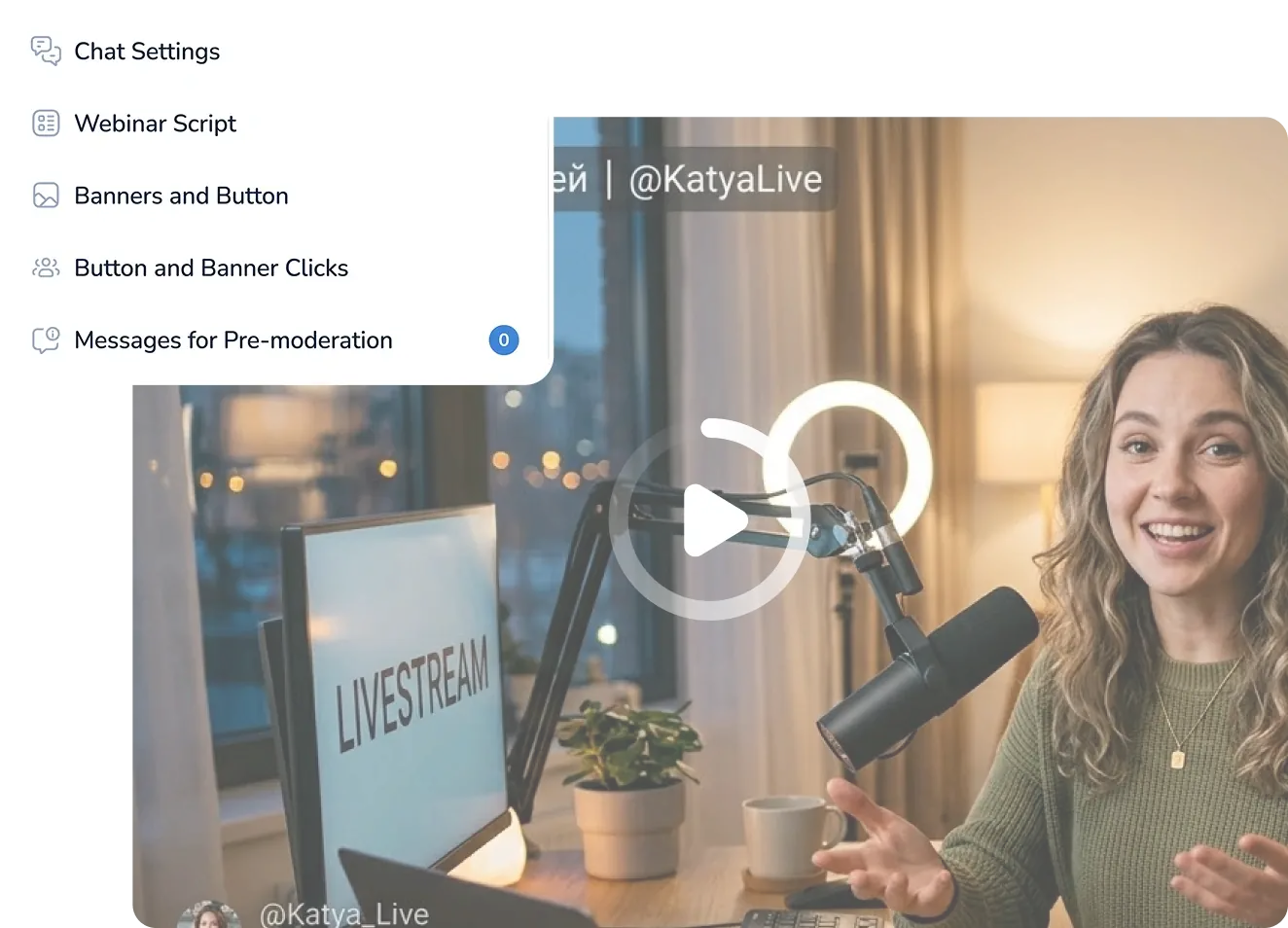
    Add banners, buttons, links and presenter information
    Chat and scenarios
    Set up moderation and add actions: messages, reactions, counters
    Streaming room
    All chat and scenario settings are available during the stream
    Stream setup
    Banners and buttons
    Chat and scenarios
    Streaming room
    Simplify. Automate. Improve.
    Why businesses trust Mavibot
    Webinars with registration and chat
    Run live and automated webinars, collect participants via your website or messengers. All in one platform—no third-party tools needed.
    Why choose our webinar platform
    Unlimited audience
    Invite unlimited viewers. Audience size is not limited by any plan.
    Easy-to-use interface
    Customize banners, buttons, and chat during the stream. Everything is managed directly during the broadcast.
    Automated webinars
    Record your webinar once, and it runs on schedule with chat and a scripted flow. You're free while it runs on its own.
    Detailed analytics
    Track unique viewers, chat comments, reactions, and unregistered participants—all in one report.
    Who is Mavibot for?
    We automate businesses of any size
    Free plan. No credit card.
    Step by step
    How to launch a webinar
    Gather participants
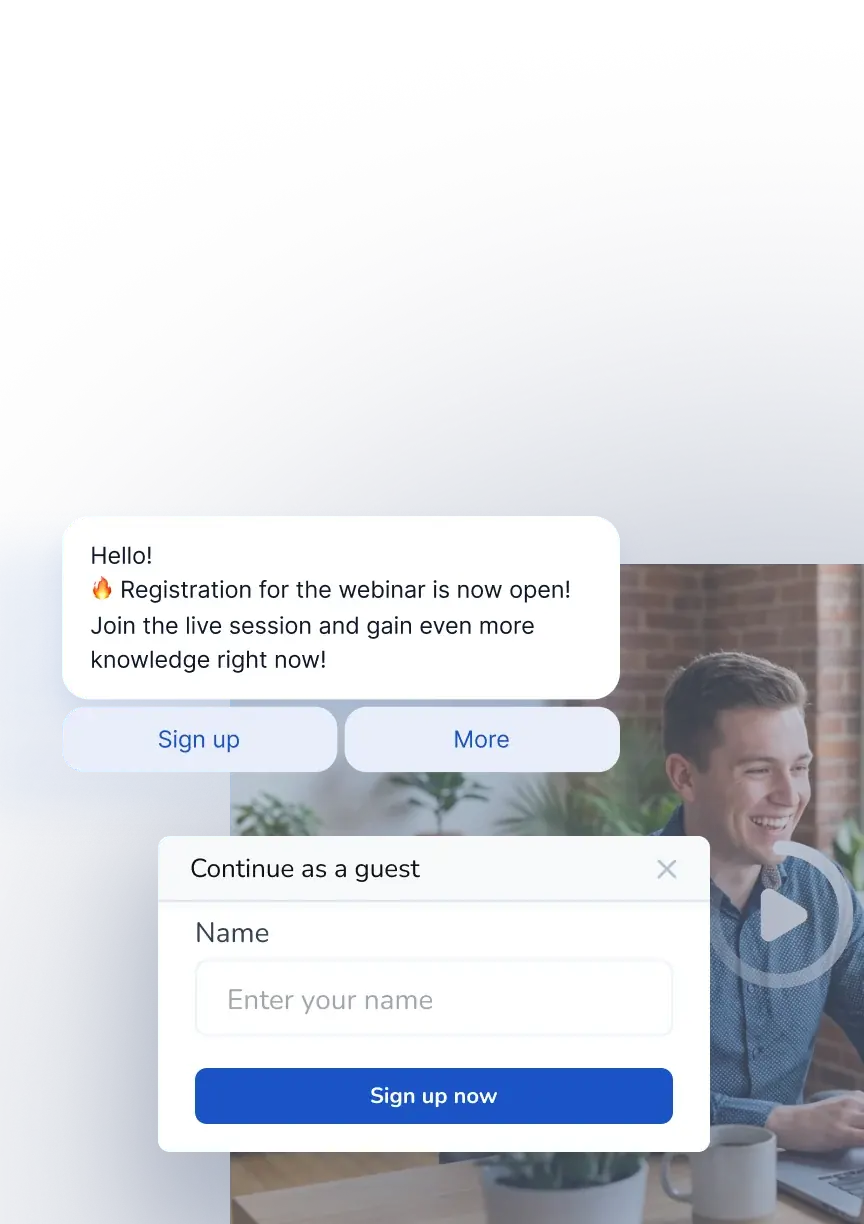
    Create a registration page. The bot will save contacts and send a link before the stream starts
    #1
    Set up the room
    Configure chat, scenarios, and reactions. Make the stream branded, live, and engaging
    #2
    Automate broadcasts
    Run streams live or on schedule. The bot will start the recording and reply in chat
    #3
    Sell live during the stream
    Show payment buttons and banners. Customers can buy the product without leaving the broadcast
    #4
    Growth stories
    How our clients use Mavibot
    Real stories from 15,000+ companies on the platform
    ONLINE SCHOOL · WEBINARS & STREAMS
    Webinars for a Professional Development Online School
    Automatic confirmations and reminders raise attendance at free educational events.
    CONSULTING FIRM · WEBINARS & STREAMS
    Regular Webinars for a Consulting Firm
    A reusable registration and communication flow helps run more events without extra workload.
    EQUIPMENT MANUFACTURER · WEBINARS & STREAMS
    Online Presentations for an Equipment Manufacturer
    After the stream, participants get the materials and move on to talking with the sales team.
    EDUCATION AGENCY · WEBINARS & STREAMS
    Webinars for an International Education Agency
    Registrations and participant data are saved automatically, with no manual copying between forms and spreadsheets.
    SAAS COMPANY · WEBINARS & STREAMS
    Product Webinars for a SaaS Company
    Participant activity analytics help measure stream performance and audience interest.
    What People Say About Us
    Mavibot customer reviews
    What People Say About Us
    Mavibot customer reviews
    OwnerChatbot DeveloperApplied Data Science InternOwner
    4.7 (241)
    Business owners trust Mavibot
    Andre P.
    Andre P.
    Owner
    I teach an online course on neural networks, 3 modules, 26 lessons total, last module's more about finding clients than the actual tech stuff.

    I post on TikTok and Instagram and just tell people comment or DM a word and the course link shows up automatically, don't even have to think about it. From there whoever's serious ends up in WhatsApp where the AI handles the first few messages, explaining the course, answering the usual questions, before I even see the chat.
    Anonymous User
    Anonymous User
    Chatbot Developer
    What I like about Mavibot is its extensive customization capabilities: any process can be configured exactly the way you need it.

    There are already many ready-made integrations, and if something is missing, it can be added or developed independently with even basic coding knowledge. This opens up virtually unlimited possibilities.
    Sri S.
    Sri S.
    Applied Data Science Intern
    Sometimes, the variety of features can be overwhelming, but their customer support chat bot can solve that problem. Although, I would still recommend adding a user manual, but that absolutely does not limit a user's experience.

    Working at a startup, you have to play multiple roles like sales, marketing, developer, analyst. Having Mavibot helps me handle one of my important roles.
    Nastya Y.
    Nastya Y.
    Owner
    We hooked up WhatsApp and Telegram to Mavibot a few months back. The AI asks what service the client wants, checks who's free, and just books it, no one on our end has to pick up the phone.

    Honestly didn't expect it to save this much time. Switched our booking over to Mavibot a few months back. The AI figures out what the client wants and gets them on the calendar, which means my staff aren't answering the same three questions on the phone between cuts.
    OwnerChatbot DeveloperApplied Data Science InternOwner
    4.7 (241)
    Business owners trust Mavibot
    No hidden fees or additional charges
    Transparent pricing that scales with you.
    Additional options
    +10,000 messages
    per day
    $ 19.9
    +1,000 emails
    per day
    $ 9.90
    +2 GB
    file storage
    $ 1.90
    +100 students
    in a project
    $ 9.90
    Additional channel
    $ 9.90
    Additional employee
    $ 9.90
    Webinar automation demo

    One service for all your needs.

    Change the way you run
    your business today

    Launch automated webinars and live streams. Attract and nurture
    customers automatically. Everything in one system.

    Free plan. No credit card.
    FAQ

    Frequently asked questions

    What is an automated webinar?
    An automated webinar is a pre-recorded video session that runs on a schedule without the host being present. Attendees experience it like a live event — with a chat, reactions, banners, and buy buttons appearing at the right moments. In Mavibot, your automated webinar works as a 24/7 sales engine — you record it once, set the schedule, and it runs on autopilot generating leads and selling your course around the clock.
    What is an evergreen webinar?
    An evergreen webinar is a pre-recorded session designed to stay relevant over time and run continuously — on demand or on a set schedule. Unlike a live webinar that happens once, an evergreen webinar keeps working for you indefinitely. In Mavibot, you can set up your evergreen webinar with an automated chat script, timed offer pop-ups, and follow-up sequences in WhatsApp, Instagram, or Facebook Messenger — all without hosting the event live again.
    How do I host a live webinar with Mavibot?
    Mavibot supports live streaming via Zoom, OBS, and other streaming tools. You connect your preferred streaming service, then Mavibot handles everything else — registration page, automated reminders, branded webinar room, live chat with moderation, banners, and payment buttons right inside the stream. You can also embed the webinar directly on your website or landing page so attendees never leave your page.
    How do I get more people to show up to my webinar?
    Mavibot automatically sends reminder notifications to registered attendees via WhatsApp, Instagram, Facebook Messenger, Telegram, or email — one day before, one hour before, and minutes before the session starts. This significantly reduces no-shows. The registration page is built inside Mavibot, so the bot collects contacts and sends the link automatically. No need for separate email tools or manual follow-ups.
    How do I sell a course during a webinar?
    During your webinar in Mavibot you can display course pricing, banners, and payment buttons at any moment — attendees can buy directly from the webinar room without going to a separate page. You control exactly when the offer appears to hit the peak engagement moment. For automated webinars, the entire sales sequence is set up in advance using a chat script with timed triggers.
    Can I embed a webinar on my website?
    Yes. With Mavibot you can embed your live stream or automated webinar directly on your website or landing page. Attendees watch the session right on your page without being redirected to third-party platforms. This keeps your audience on your site, increases trust, and improves conversion rates.
    How is Mavibot different from other webinar platforms?
    Most webinar tools are standalone — you still need separate software for chatbots, CRM, email, and follow-ups. Mavibot combines webinars, automated chat scripts, CRM, chatbot funnels, and messenger broadcasts in one platform. After your webinar, every attendee is automatically added to your client base and enters a follow-up sequence in WhatsApp, Instagram, or Telegram — no manual work, no duct-taping multiple tools together.
    How do I automate follow-ups after a webinar?
    In Mavibot, every webinar attendee is automatically added to your CRM and enters a post-webinar funnel in their preferred messenger — WhatsApp, Instagram, Facebook Messenger, or Telegram. You can set up a sequence of follow-up messages, special offers, and reminders that go out automatically after the session ends. This turns every webinar into a long-term lead nurturing machine without any manual outreach.